How to Use AI to Transcribe and Summarize Local Town Hall Meetings
Demystify local government by using modern AI tools to transcribe and summarize town hall meetings, making civic participation accessible to everyone in your neighborhood.
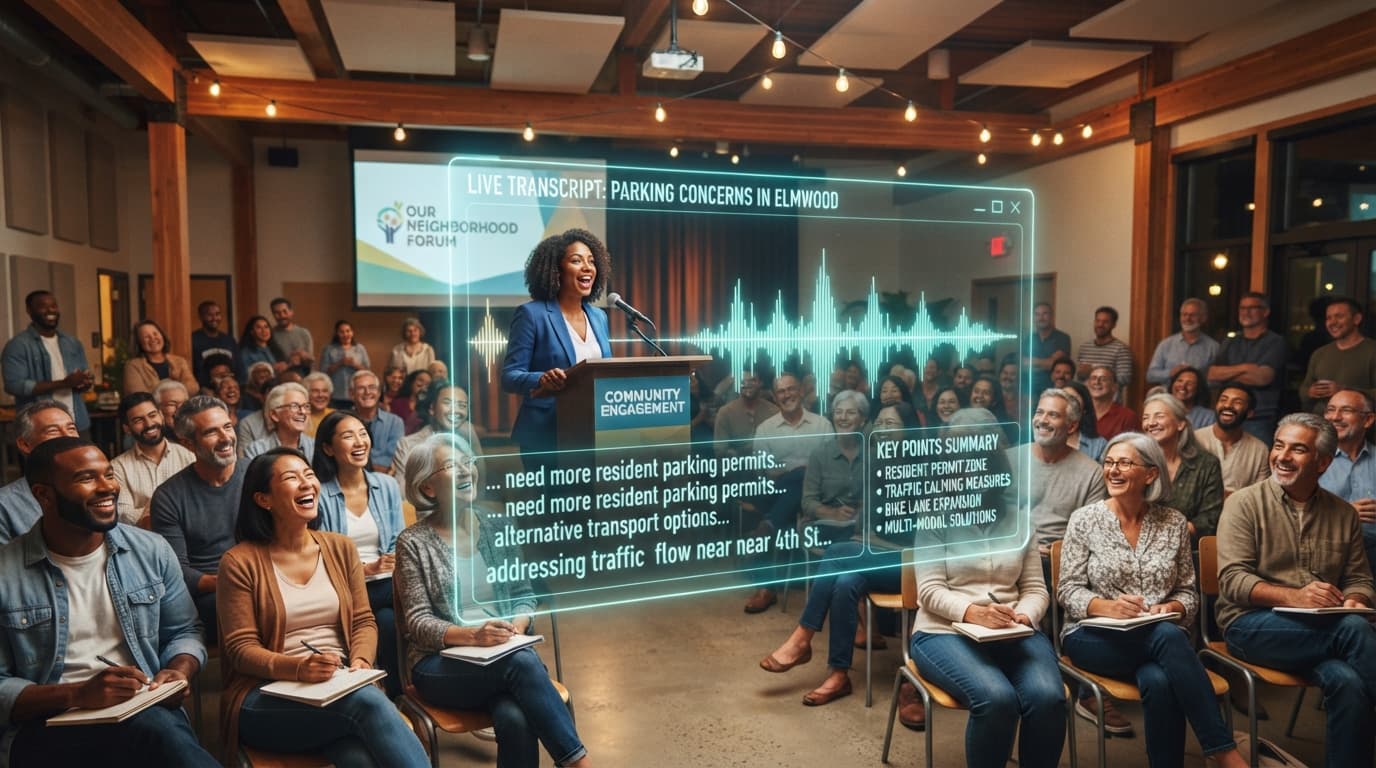
Imagine this scenario: your local town council is voting on a new zoning law that could radically alter the green spaces in your neighborhood. You want to voice your opinion, but the meeting is scheduled for Tuesday at 7:00 PM—exactly when you are putting your kids to bed or working an evening shift. Later, you search the city website, only to find a dry, 45-page PDF of meeting minutes published three weeks after the vote, or a grainy three-hour video recording with muffled audio.
For decades, this has been the quiet tragedy of local democracy. Vital decisions regarding property taxes, school budgets, public safety, and infrastructure are made in half-empty rooms because everyday citizens lack the time to attend or decipher hours of public proceedings. But a technological revolution is quietly leveling the playing field. By leveraging modern Artificial Intelligence (AI), anyone can now convert hours of rambling civic debates into searchable transcripts and action-oriented summaries within minutes. Here is your comprehensive guide to using AI to bring transparency to your local town hall meetings.
Why AI is a Game-Changer for Local Democracy
Local government meetings are notoriously inaccessible. They are long, often unstructured, and filled with bureaucratic jargon. Traditional human transcription services are expensive, costing upwards of $1.50 per audio minute, which quickly drains the budget of community watchdog groups or local journalists.
AI changes this equation entirely by offering:
- Speed: A three-hour city council meeting can be transcribed and summarized in less than ten minutes.
- Affordability: Many high-quality AI transcription tools offer free tiers or charge mere pennies per hour of audio processed.
- Searchability: Instead of scrubbing through video timelines, you can press Ctrl+F to find exactly when your street name or a specific council member was mentioned.
- Clarity: Advanced Large Language Models (LLMs) can extract key decisions, voting records, and public comments, distilling hours of bureaucratic chatter into a five-minute read.
Step 1: Capturing High-Quality Audio and Video
The golden rule of AI transcription is simple: "garbage in, garbage out." The accuracy of your AI-generated transcript depends heavily on the quality of your audio source. Fortunately, you do not need professional recording gear to get excellent results.
Accessing Existing Public Broadcasts
Most municipalities now stream their meetings online. Before recording anything yourself, check if your local government publishes audio or video to:
- The official city, township, or county website.
- Local public-access television channels (PEG channels).
- Social media platforms like YouTube, Facebook Live, or Vimeo.
If a video exists on YouTube, you can simply copy the URL. Many modern AI transcription tools can ingest YouTube links directly, saving you the hassle of downloading large video files.
Recording the Meeting Yourself
If your local council does not stream its meetings, you have the right to record them yourself. In the United States, public meetings are governed by open meeting laws (such as "Sunshine Laws"), which generally permit citizens to record audio or video as long as it does not disrupt the proceedings. To get the best audio:
- Sit near the front: Position your recording device (a smartphone, tablet, or portable audio recorder) close to the council's microphones or PA speakers.
- Use an external microphone: A cheap, directional lavalier or shotgun microphone plugged into your phone can drastically reduce ambient room noise, echoes, and shuffling papers.
- Record in standard formats: Save your files in widely compatible formats such as MP3, WAV, or M4A for audio, and MP4 or MOV for video.
Step 2: Choosing the Right AI Transcription Tool
Once you have your audio file or link, you need an AI tool to convert the spoken word into written text. This process is called Automatic Speech Recognition (ASR). Several highly accurate tools are available today, catering to different technical skill levels.
1. User-Friendly Web Apps (No Code Required)
For most community advocates, web-based platforms are the easiest way to start. These services allow you to upload an audio file and receive a formatted transcript in minutes.
- Otter.ai: Excellent for real-time transcription. You can run Otter on your phone during a live meeting, and it will transcribe the speakers as they talk, automatically identifying different speakers.
- Descript: A powerful tool that treats audio editing like a Word document. It provides highly accurate transcription and allows you to export clean text files easily.
- Riverside.fm or Trint: Professional-grade transcription platforms designed for media creators, offering superb speaker identification and time-coded outputs.
2. Open-Source and Developer Tools (Budget-Friendly)
If you are transcribing dozens of hours of meetings monthly and want to avoid subscription fees, open-source AI models are incredibly powerful.
- OpenAI Whisper: This is the industry-standard open-source speech-to-text model. It is highly accurate, handles diverse accents exceptionally well, and is completely free to run if you have basic technical knowledge. You can use free web interfaces like Pinokio or Google Colab notebooks to run Whisper without writing code.
Step 3: Cleaning and Organizing the Transcript
Raw AI transcripts are rarely perfect. They often feature run-on sentences, misheard jargon (such as local street names or specific ordinance numbers), and "filler" words like "um" and "uh." Before sharing the transcript, perform a quick quality check:
- Correct local names: Search for common local terms, local politicians' names, and specific acronyms (e.g., changing "EPD" to "Elmwood Police Department") to ensure accuracy.
- Label speakers: While AI can detect that "Speaker 1" and "Speaker 2" are different people, you should manually label them (e.g., "Mayor Jenkins," "Councilwoman Rodriguez," or "Resident Jane Doe") to make the text readable.
- Timestamps: Keep timestamps at least every 5 to 10 minutes so readers can easily verify the transcript against the original audio or video.
Step 4: Writing the Perfect AI Prompt for Summarization
A 20,000-word transcript is more accessible than a video, but it is still too long for most busy residents to read. This is where Large Language Models like ChatGPT, Claude, or Gemini shine. By feeding your clean transcript into an LLM, you can extract a concise, structured summary.
To get the best results, use a structured, detailed prompt. Copy and paste the prompt below into your preferred AI tool, followed by your transcript text:
"You are an expert civic journalist. Below is a transcript of a local town hall meeting. Please read the transcript and provide a highly structured summary with the following sections: 1. Executive Summary: A 3-sentence overview of the entire meeting. 2. Key Decisions & Votes: A bulleted list of every resolution, ordinance, or budget item voted on, including who proposed it, who seconded it, and the final vote count (if available). 3. Major Debates & Public Comment: A summary of the main topics debated by council members and the primary concerns raised by local residents during public comment. 4. Action Items & Next Steps: Any upcoming deadlines, public hearings, or tasks assigned to specific city employees. Please maintain a completely neutral, objective, and journalistic tone."
If your transcript is extremely long (over two hours), you may run into "context window" limits on some free AI platforms. If this happens, split the transcript into logical sections—such as "New Business," "Public Comment," and "Zoning Board"—and summarize each section individually before compiling them.
The FluxLocal Advantage
Transforming raw civic data into clear, actionable summaries is a massive step forward for neighborhood transparency, but these insights are only valuable if your community can actually find and read them. This is where FluxLocal comes in.
As a dedicated local community platform, FluxLocal provides the perfect digital hub to host, organize, and distribute your AI-generated town hall summaries. Instead of letting your hard work collect digital dust in a private Google Drive, you can publish your weekly or monthly summaries directly to your neighborhood's dedicated space on FluxLocal.
By sharing your summaries on the platform, you can initiate constructive localized forums, tag specific neighborhood districts affected by council decisions, and allow fellow residents to discuss municipal policies in a constructive, trolls-free environment. It transforms passive, top-down government announcements into active, peer-to-peer community dialogues.
Best Practices for Ethical Civic AI
Using AI to report on local government carries a responsibility to be accurate, transparent, and fair. To build trust within your community, always adhere to these ethical guidelines:
- Disclose AI use: Always include a short note at the top of your summaries, such as: "This summary was generated using AI transcription and summarization tools and was human-edited for accuracy."
- Provide the original source: Always link back to the raw audio, official video, or the official city minutes so readers can double-check the AI's work if they suspect an error.
- Fact-check critical details: AI models can occasionally "hallucinate" or misrepresent facts. Always double-check critical details, especially voting records, tax numbers, and official dates, against the original recording before publishing.
- Stay non-partisan: Use AI to inform, not to persuade. Ensure your prompts do not ask the AI to take a side or use emotionally charged language when summarizing local disputes.
Conclusion: Empower Your Community Today
Democracy is not just something that happens every four years at a presidential ballot box; it happens every single week in municipal chambers, school board rooms, and planning commission offices. When we let these meetings go unrecorded and unsummarized, we lock everyday citizens out of the decisions that govern their daily lives.
By embracing AI-powered transcription and summarization, you can become the ultimate civic conduit for your neighborhood. You can turn complex municipal policy into bite-sized, actionable knowledge that empowers your neighbors to advocate for their families and their streets.
Are you ready to make a difference in your community? Start by recording your next local council meeting, using AI to extract the key takeaways, and sharing the results on FluxLocal. Together, we can make local government transparent, accessible, and truly accountable to the people.
---CONTENT_END---